
erddap-places
- dataset an ERDDAP dataset and variable
- place a sanctuary, MRGID or PSGID polygon
- method area-weighted statistics, or Then vs Now
- delivery chart, table, CSV, Parquet, PNG, link
erddap-places answers “what were the conditions in this place, over this time?” for a marine place (a National Marine Sanctuary, a MarineRegions area or a ProtectedSeas area) and an ERDDAP dataset: sea surface temperature, chlorophyll, seascapes, ocean-model fields, precipitation, or CalCOFI bottle samples. Four things set it apart. No server of ours is in the path: the place polygon is masked onto the dataset’s own grid in your browser, one request per polygon part goes straight to the ERDDAP server, and DuckDB-WASM computes the statistics on the page. The URL is the view: place, dataset, variable, window, statistic, lens and open panes. Downloads are reproducible: CSV and Parquet of the table on screen, a stamped PNG, and Reproduce, which lists the exact ERDDAP requests, the mask and the SQL. Attribution is built in: Cite this data names the dataset’s producer and the gazetteer. Its companion for species records is OBIS hex ; both follow the same layout.
This page is the written version of the in-app tour, for reading with the app open beside it. Help ▾ → Guide in the app opens it.
The anatomy
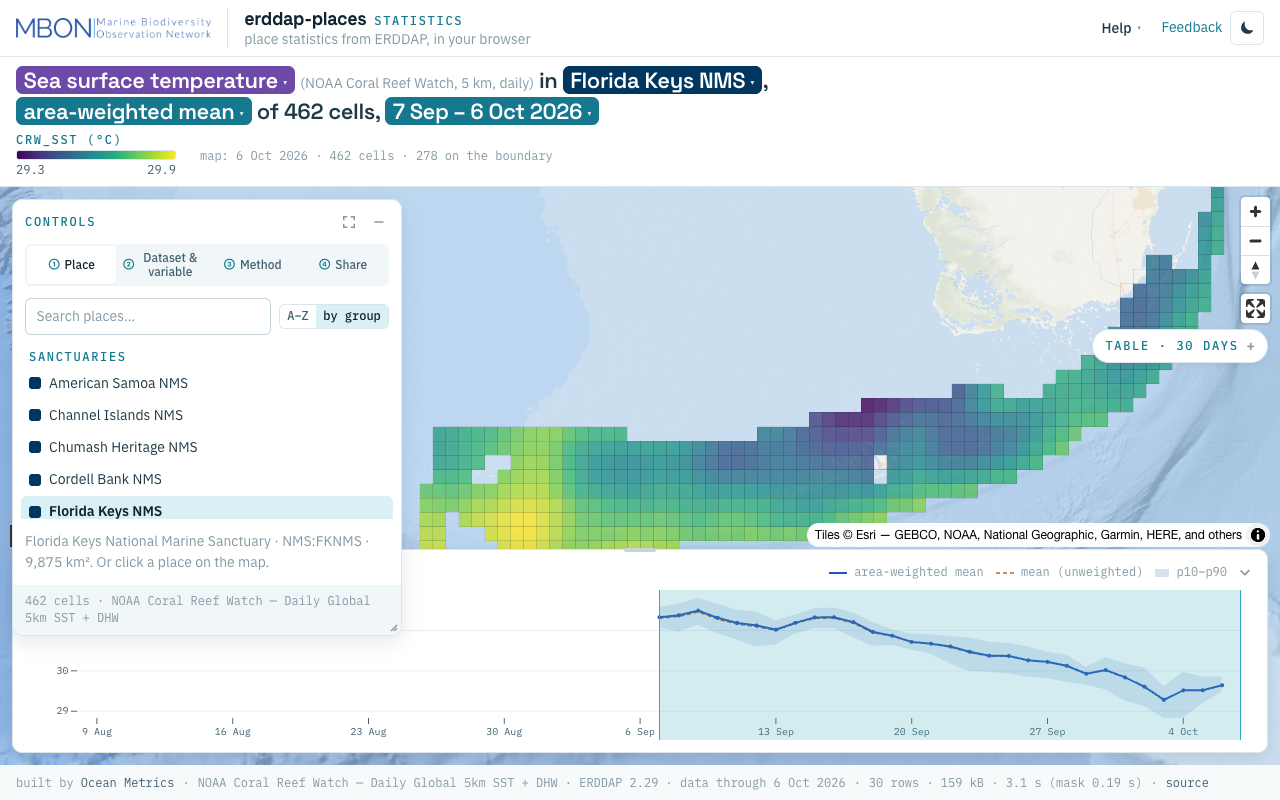
erddap-places at laptop size, Statistics lens: CRW sea surface temperature in Florida Keys NMS, 7 Sep – 6 Oct 2026.
- Header: the lens word (Statistics or Then vs Now), Help ▾, Feedback and the theme toggle.
- The title sentence, whose bold chips are the controls.
- The colour scale and counts of the map layer: the day drawn, the cells, how many sit on the boundary.
- Controls, with four numbered tabs.
- The map: the place outlined and, after a run, the last day’s grid cells inside it; hover for the value and area weight, click any place to select it.
- Map buttons: zoom, north and full screen.
- The Table pill, the day-by-day numbers.
- Time strip: the daily series, with the window as a brush.
- Footer: built by Ocean Metrics, the dataset, its ERDDAP version and last day, rows, bytes and seconds for this run.
The sentence is the controls
The title sentence reads in pipeline order, dataset → place → method → time:
Sea surface temperature (NOAA Coral Reef Watch, 5 km, daily) in Florida Keys NMS, area-weighted mean of 462 cells, 7 Sep – 6 Oct 2026
Each bold part is a chip whose popover holds the same picker as its Controls tab, so the sentence and the panel read one state. There is no Run button: change a chip and the run follows after a quarter second, superseding anything still in flight.
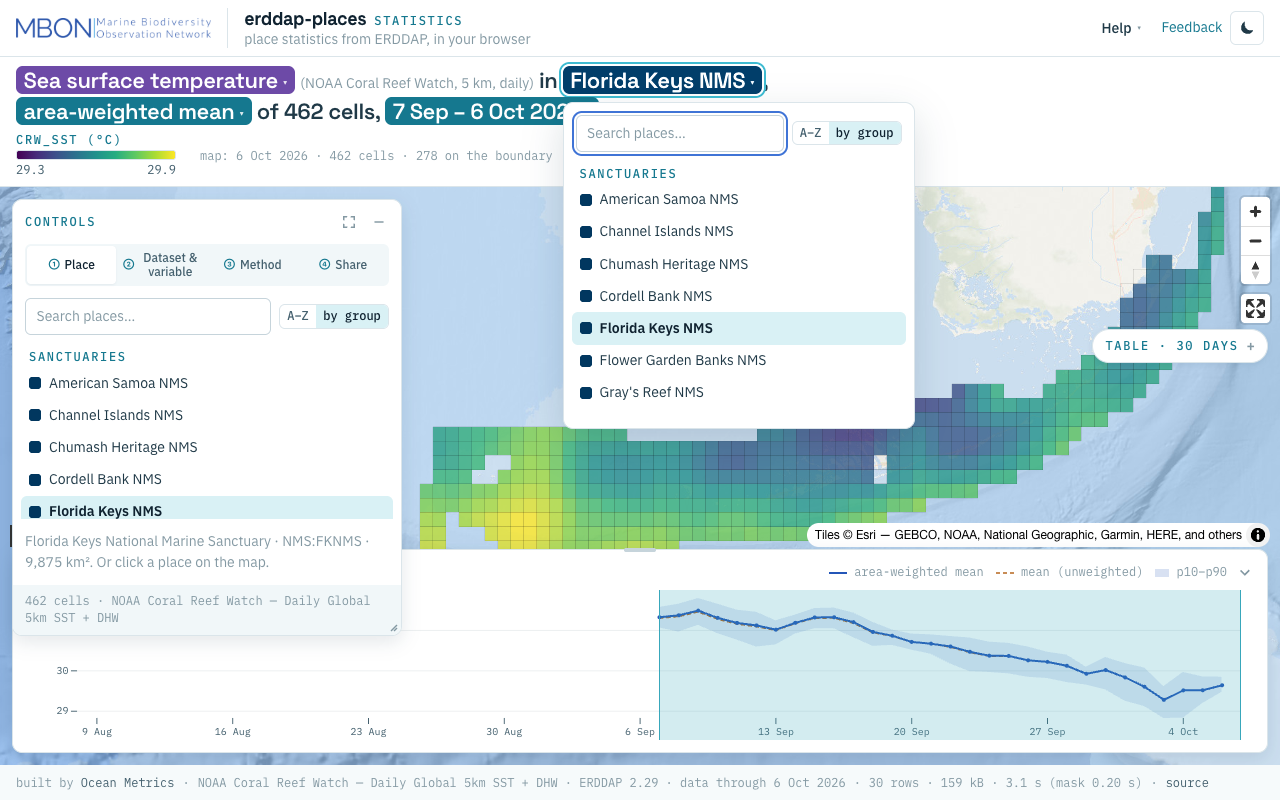
The four tabs
① Place. The gazetteer: 18 National Marine Sanctuaries, a MarineRegions EEZ (MRGID) and a ProtectedSeas area (PSGID), searchable, A–Z or by group, or click a place on the map. The line under the list gives its full name, id (NMS:FKNMS) and area.
② Dataset & variable. Datasets grouped by cadence (daily, monthly, samples), then the variable in words. The window defaults to the last 30 days of the dataset’s own record (longer for an 8-day product, five years for samples) and is clamped to what the server holds. Two kinds behave differently: categorical grids (NOAA AOML Seascapes classes, Coral Reef Watch bleaching alert area) are summarised as the share of the place in each class, a stacked area over time; tabular samples (CalCOFI bottle data) are masked by station position and rolled up by month, with the stations drawn as dots.
③ Method. The lens: Window statistics or Then vs Now (below). For statistics, the charted statistic: area-weighted mean (the default), mean, min, max, 10th and 90th percentiles, or standard deviation. Area weighting matters at the edge: a cell is in when its centre falls inside the polygon, and a boundary cell counts by the share of its area inside.
④ Share. Download CSV and Parquet (exactly the table on screen, named after place, dataset, variable and window), PNG of the view with the sentence, dataset and link stamped on it, Copy link, Copy citation, Cite this data, and Reproduce: the ERDDAP URLs used, the mask summary (cells, polygon parts, total weight, boundary cells) and the SQL of both queries, with Copy all.
Two lenses
Statistics (the default) is the run described above: one place, one variable, one window, a statistic per day.
Then vs Now rebuilds the Climate Change for Sanctuaries Shiny app without a server. Pick a sanctuary and a day of the year; Then is the 1985–2005 or 2003–2012 climatology, or any range of years averaged in your browser; Now is the latest year or any year. Swipe between the two maps on one shared colour scale, or turn on the anomaly (Now − Then per pixel, blue to red around zero): the second line of the sentence then gives the headline, such as “76 % of the sanctuary more than +1 °C warmer”. The Time strip becomes a day-of-year chart of every year (Then years blue, the previous year orange, Now red, the Then mean dashed); ◀ ▶ step a day and ▶| plays through the year. The rasters are read one day’s band at a time, so a first view costs about six small requests (56 kB) and the next day 16 kB.
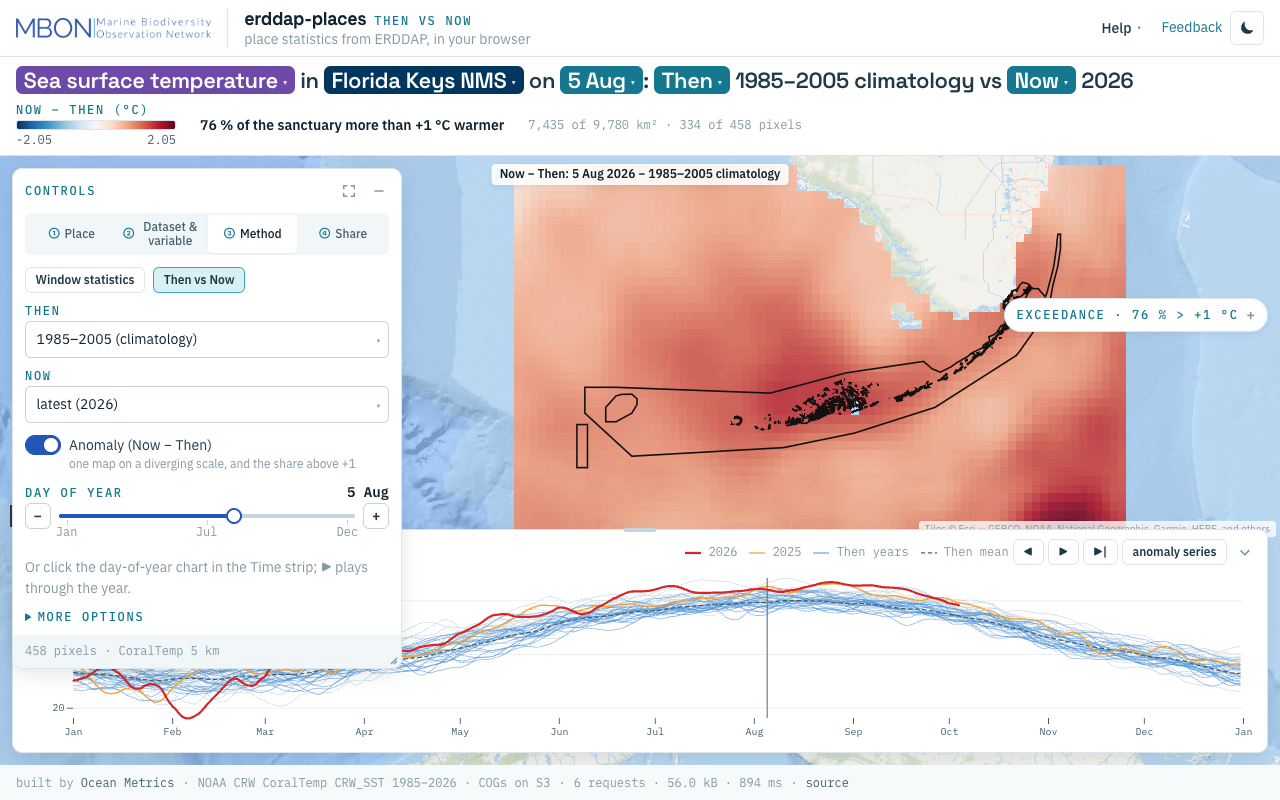
Time strip, Table and Exceedance
In Statistics the Time strip draws the daily series (the chosen statistic solid, the other mean dashed, the 10–90 % band) with the window shaded as a brush. Drag a new window, up to 90 days, and it runs; only the window is fetched. The Table pill on the right edge opens the per-day (or per-class, or monthly) table with its own CSV and Parquet menu. In Then vs Now the pill is Exceedance: pixels and km² above +1 °C inside the sanctuary.
The panes
Controls, Time and Table or Exceedance are floating panes with one title bar. Move a pane by dragging its bar (double-click sends it home), collapse it to a labelled pill on the nearest edge, expand it to fill the map (Esc restores) and resize it from an edge or the corner grip. Positions are remembered per browser and screen size; which panes are open is in the URL. Export the table from its pane, the view from ④ Share. On a phone the panes are bottom sheets that start folded, so the map shows.
Every view is a URL
Everything is in the URL hash; src/lib/view.ts, src/lib/permalink.ts and src/lib/thenNow/state.ts in oceanmetrics/erddap-places
are the authority.
| key | lens | sets | example |
|---|---|---|---|
place | both | the place id | NMS:FKNMS, MRGID:8439 |
dataset | both | the STAC collection | erddap/dhw_5km |
variable | both | the variable | CRW_SST |
from, to | Statistics | the window | 2026-09-07, 2026-10-06 |
stat | Statistics | charted statistic (default mean_wt) | mean, min, max, p10, p90, sd |
lens | both | the lens (absent = Statistics) | then-now |
md | Then vs Now | month-day | 08-05 |
then | Then vs Now | baseline or year range | 1985-2005, 2003-2012, 1990-2000 |
now | Then vs Now | year | latest, 2024 |
swipe, anom | Then vs Now | swipe position, anomaly on | 0.5, 1 |
pal, data | Then vs Now | palette, data root | viridis |
show, hide | both | panes that differ from the default | show=table, hide=controls,time |
For example #place=NMS:FKNMS&dataset=erddap/dhw_5km&variable=CRW_SST&from=2026-09-07&to=2026-10-06 is the anatomy figure, and #lens=then-now&place=NMS:FKNMS&variable=CRW_SST&md=08-05&then=1985-2005&now=latest&anom=1 the Then vs Now figure. Older #mode=then-now links still open Then vs Now; the page rewrites them to lens=. Query switches before the # are not view state: ?tour=off (no welcome card or tour), ?tour=on, ?modal=sources.
Help, the tour and feedback
A first visit opens a welcome card (Start here) with a few doors into worked views, each a link. The tour (Help ▾ → Take the tour, or ?) rings one part of the page at a time in the order of this page: the sentence, the four tabs, the legend, the Time strip, the right-edge pill, Share and Help; arrow keys move and Esc ends.
Help ▾ holds the tour; Guide (this page); Start here; About (what the app is, the two lenses, who built it); Data sources and attribution (also ?modal=sources); and Keyboard.
Feedback in the header captures the view, lets you mark it up, and opens a prefilled GitHub issue on oceanmetrics/erddap-places with your note, the view URL, the sentence, the app version, viewport and theme. Nothing is sent by the app itself and no email address is asked for, so “that spike looks wrong” arrives as a link anyone can open.
Data sources and how to cite
Gridded and tabular data come live from each dataset’s ERDDAP server: PacIOOS for NOAA Coral Reef Watch, CalCOFI’s own server for the bottle data, and erddap.oceanmetrics.io for the rest. Cite the producer that ④ Share names. Places are the Ocean Metrics gazetteer: NOAA ONMS sanctuary boundaries (the official shapefiles), MarineRegions.org and ProtectedSeas (derived files CC BY 4.0). Then vs Now uses NOAA Coral Reef Watch CoralTemp SST (5 km, daily, 1985 onward). Basemaps are Esri World Ocean Base and World Dark Gray.
Cite this data builds the citation from the dataset’s catalog entry and adds the gazetteer, for example:
NOAA Coral Reef Watch. NOAA Coral Reef Watch — Daily Global 5km SST + DHW (ERDDAP dataset dhw_5km). https://pae-paha.pacioos.hawaii.edu/erddap/griddap/dhw_5km.html , accessed 2026-10-08. Places: Ocean Metrics gazetteer (NOAA ONMS, MarineRegions.org, ProtectedSeas), https://storage.oceanmetrics.io/gazetteer/ .
Where the data comes from
The app reads one catalog: the gazetteer, a STAC catalog at storage.oceanmetrics.io/gazetteer with six kinds of collection:
- places: the place polygons as GeoParquet (split at the antimeridian, so Papahānaumokuākea works) and PMTiles for the map;
- erddap: one collection per ERDDAP dataset, with its server, dataset id, variables, CORS and formats, which fill ② and decide how to ask;
- stats: precomputed statistics, one Parquet per dataset × variable × place for the last 365 days (the full record for the monthly sanctuary series), built with the app’s own mask and SQL so the numbers cannot drift;
- rasters, climatology and series: Then vs Now’s yearly 366-band GeoTIFFs per sanctuary, the day-of-year baselines and the daily area-weighted means since 1985.
erddap.oceanmetrics.io (oceanmetrics/erddap
) re-serves datasets that lack CORS or Parquet output, such as MUR SST, AOML Seascapes and USF IMaRS’s monthly CMEMS, precipitation and NPP products, so a browser can read them. The precompute runs weekly on the MarineSensitivity server (msens) as a self-hosted GitHub Actions runner and syncs the gazetteer to S3. Anyone can read the same files from R, Python or DuckDB: the gazetteer’s AGENTS.md shows the queries.
For biodiversity indicators from species records over the same places, see OBIS hex .
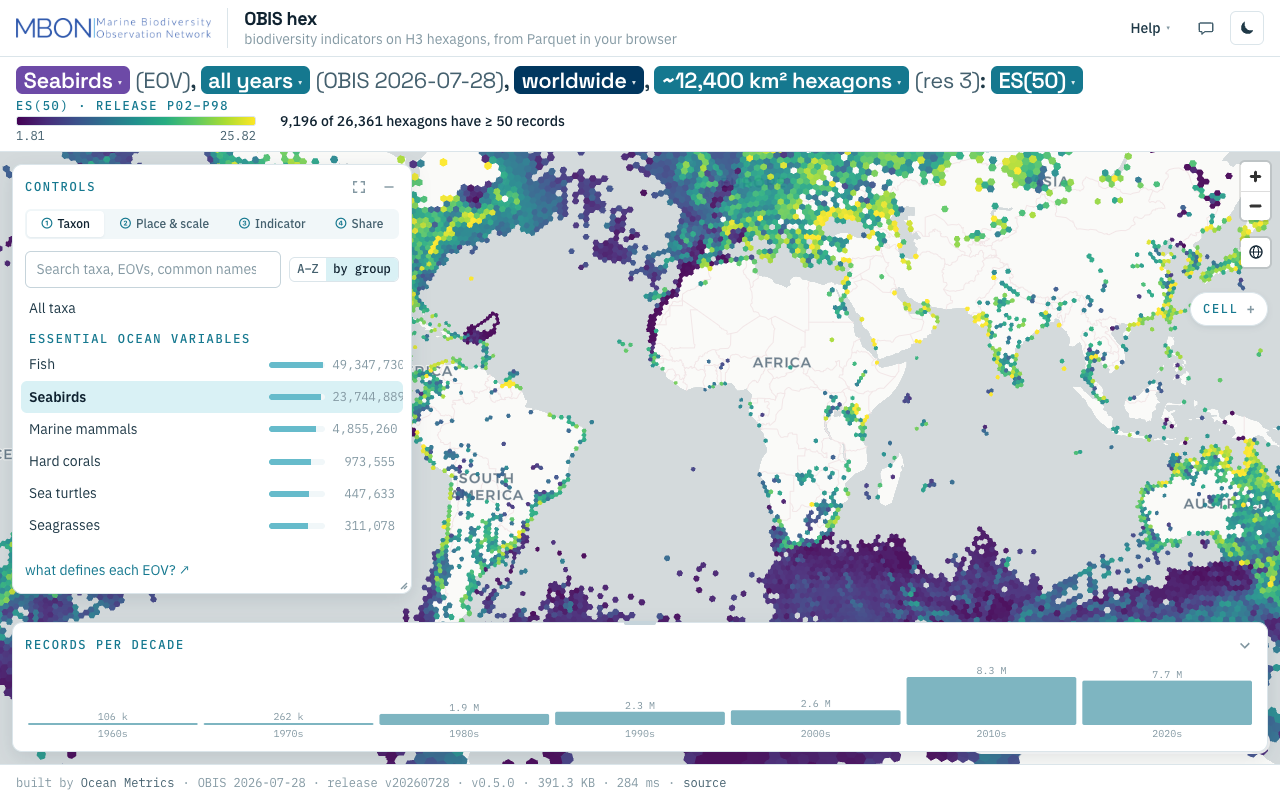
OBIS hex
Biodiversity indicators from every OBIS record on H3 hexagons, from ES(50) to records per decade, computed from Parquet in your browser with no server. The URL is the view.
Learn more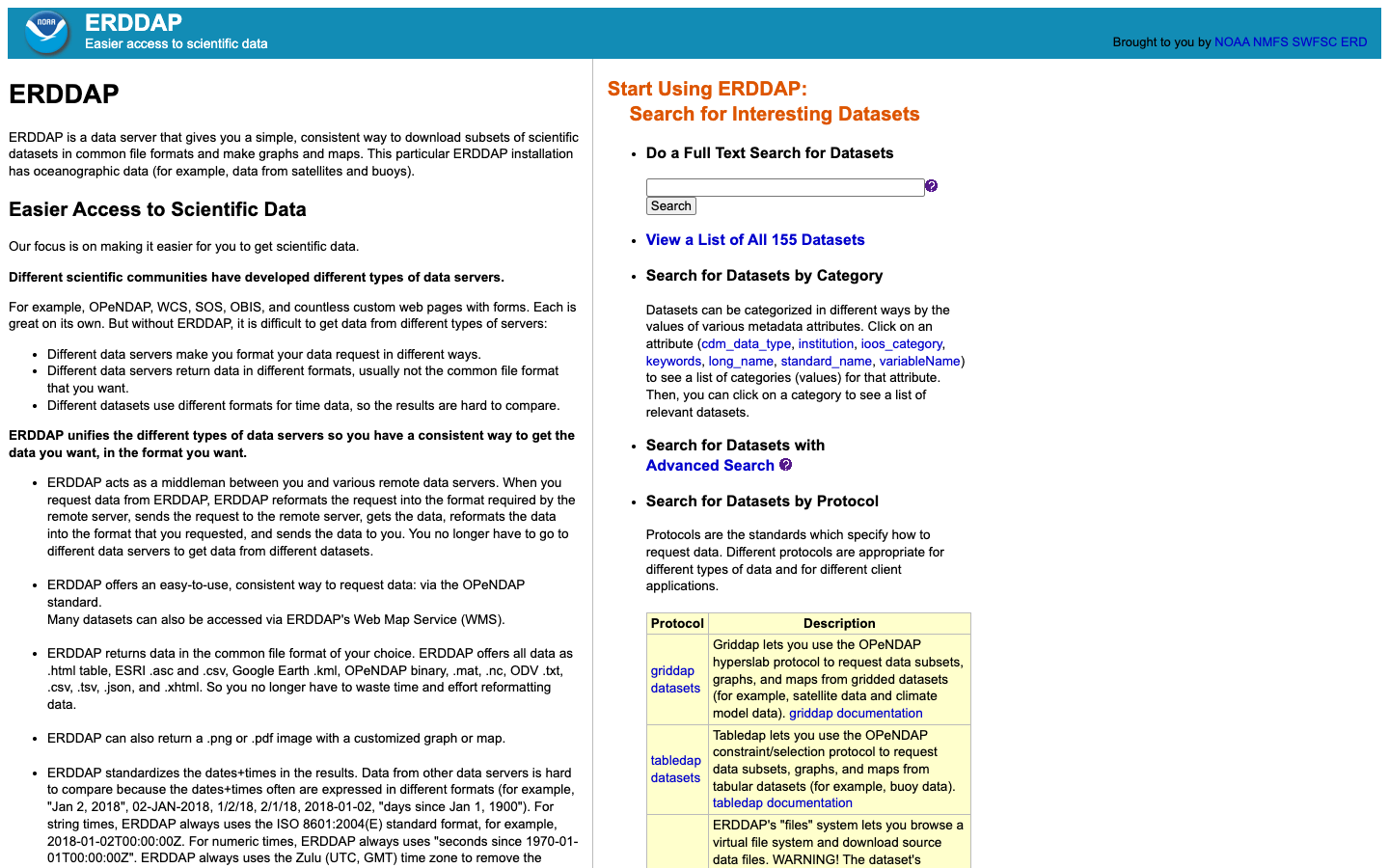
ERDDAP — Environmental Research Data Server
ERDDAP data servers stream gridded and tabular ocean datasets — satellite seascapes, sensor time series, and MBON biodiversity tables — in a consistent, scriptable format.
Learn more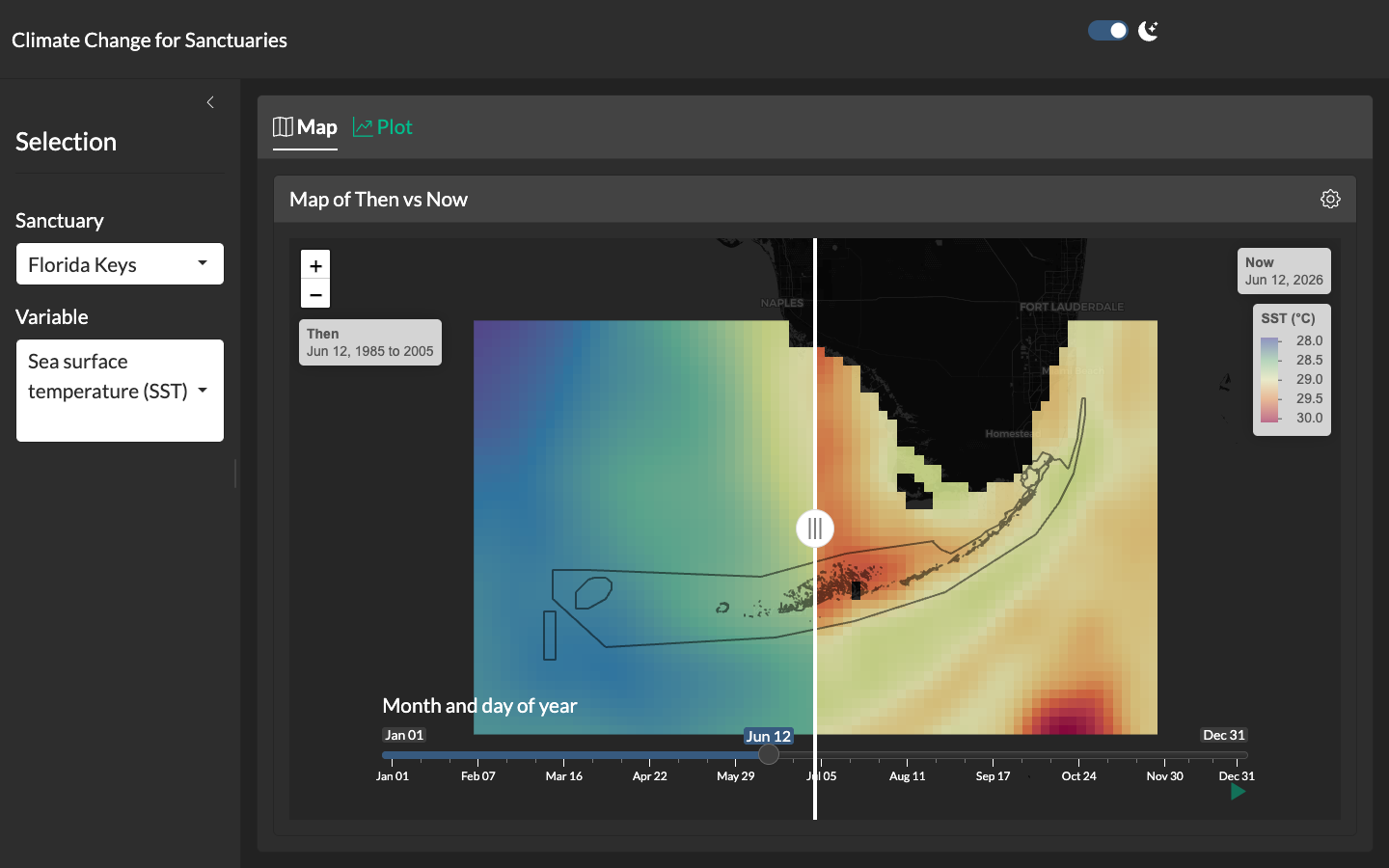
Climate Change for Sanctuaries
Shiny application with a swipeable "then vs. now" map comparing climatological reference periods to the present for each U.S. National Marine Sanctuary.
Learn more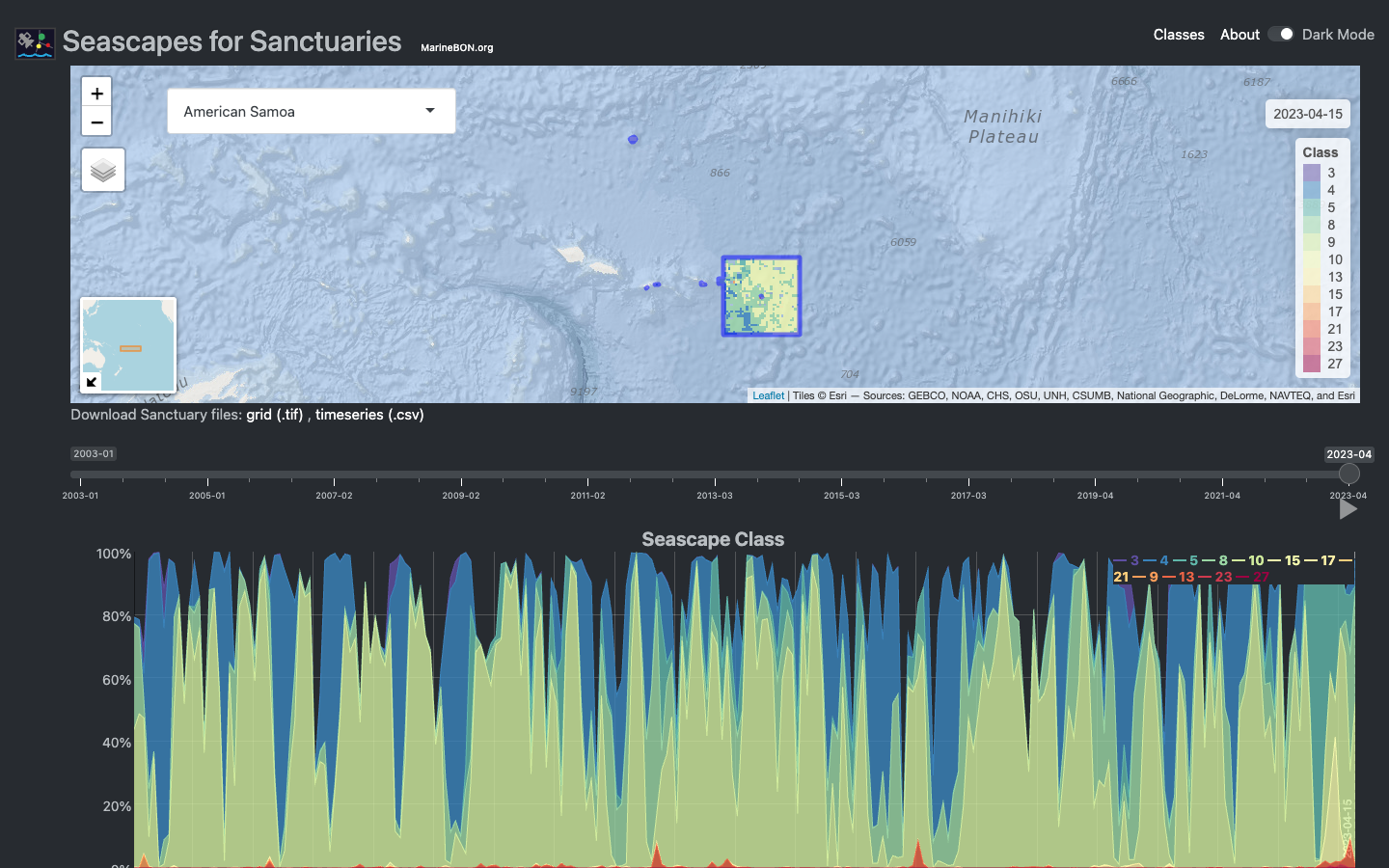
Seascapes Viewer
Interactive Shiny application for visualizing global Seascape Classes in time and space across U.S. National Marine Sanctuaries.
Learn moreplaces gazetteer
One STAC catalog of marine place layers (sanctuaries, MPAs, EEZs, leases, planning areas) as GeoParquet and PMTiles, with stable place ids, per-feature licence and H3 membership for joining hexagon data by place.
Learn moreUSF IMaRS ERDDAP
USF's ERDDAP server for satellite ocean color (MODIS, VIIRS, Sentinel-3 OLCI, PACE), net primary productivity and precipitation products over the Gulf, Florida and the wider Atlantic.
Learn more